Interview Preparation
Published:
As part of my preparation for interviewing, I wanted to make sure I had an easy way of taking digital notes. I had previously heard from Jason Snell about how he uses a script combined with Keyboard Maestro to get notes that are timestamped. Jason’s post about his approach can be found on Six Colors and the full script is a GiHub Gist. While I’m doing an interview rather than a podcast, I do want audio that is easy to edit. I also wanted a way to easily find material that is useful to my research. So the note taking needed to allow me to do the following:
- Take a free text note of whatever I liked.
- Have minimal button presses so it was both easy to remember and also easy to repeat.
- Be time stamped relative to the start of the recording, so I could find the point in the track easily.
As it turned out I didn’t need to make many changes to Jason’s script. I work in 24 hour time, so the date-time calculations needed to use that approach, and I wanted all my date formats to be YYYY-MM-DD.
I then put this into Script into Keyboard Maestro, for my uses I think a blank entry will work best, so I used a text box to make sure I could input anything into the note, or even leave the text as ‘Enter your note here’ if I just wanted to return the timestamp so I could easily find a point of interest.
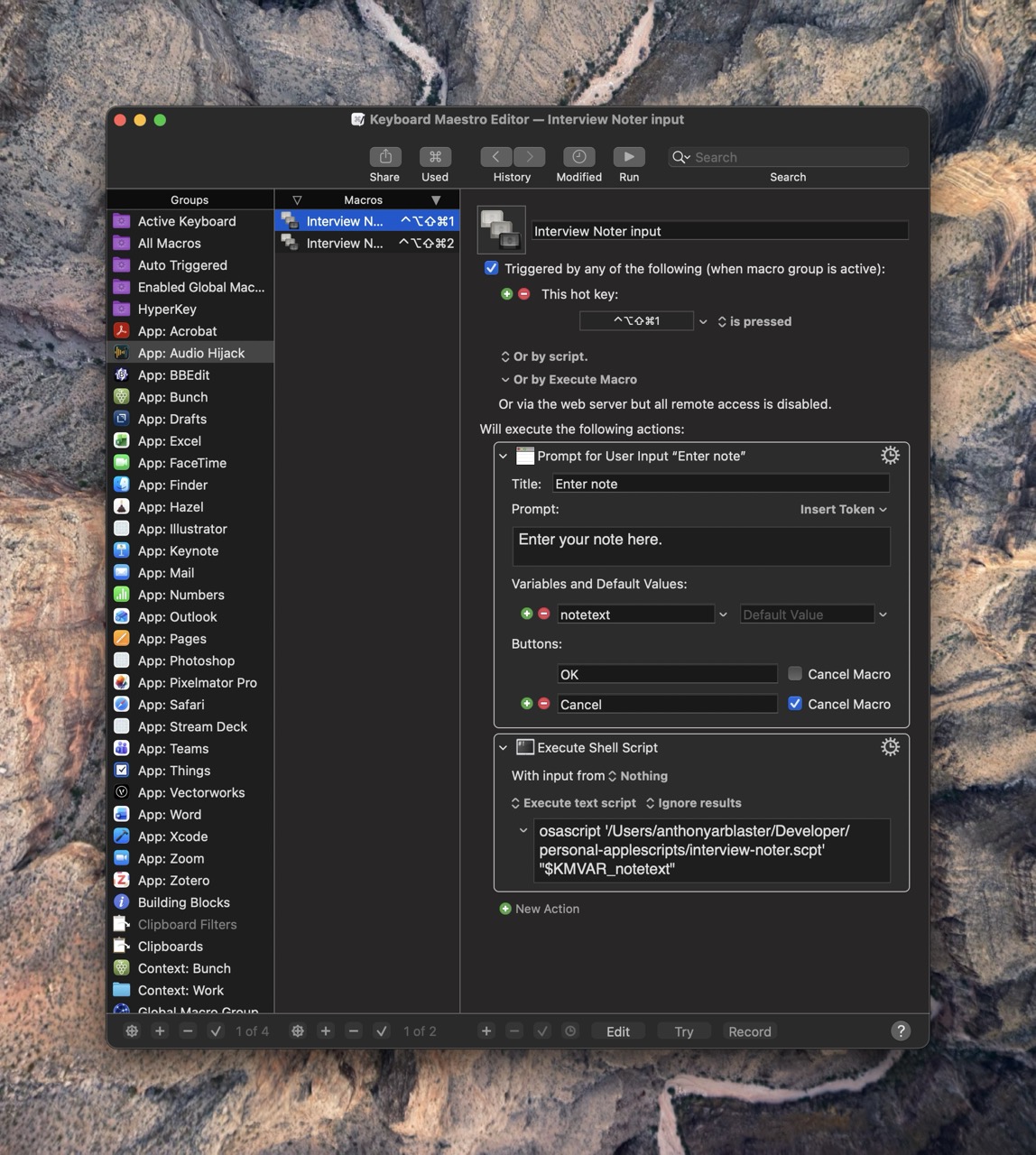
The AppleScript returns a .txt file so they are very lightweight and easy to use. I use BBEdit as my text editor of choice, so doing transformations on the text is very easy if I need to in the future.
My version of the script can be found as a Gist. You can download a Keyboard Maestro template here to see how it works.
I’m going to try it out on my first interview and see how it goes.